
Microsoft Tastaturen Test
Diese Quellen haben wir neutral ausgewertet:




Microsoft Tastaturen Bestenliste
24 Ergebnisse entsprechen den Suchkriterien

Sehr gut
1,4
- Anschluss: Kabelgebunden
- Schnittstellen: USB, PS/2, USB & PS/2

Gut
1,6
Microsoft Sculpt Ergonomic Keyboard For Business
- Anschluss: Kabellos
- Schnittstellen: USB, Funk
- Typ: Ergonomische Tastatur
Zum Produkt

Gut
1,6
- Anschluss: Kabellos
- Schnittstellen: Bluetooth, USB
- Typ: Officetastatur

Gut
1,7
- Anschluss: Kabelgebunden
- Schnittstellen: USB
- Typ: Ergonomische Tastatur

Gut
1,7
Microsoft Natural Ergonomic Keyboard 4000
- Anschluss: Kabelgebunden
- Schnittstellen: USB, PS/2, USB & PS/2
- Typ: Ergonomische Tastatur
Zum Produkt

Gut
1,7
- Anschluss: Kabellos
- Schnittstellen: Bluetooth
- Typ: Officetastatur

Gut
1,9
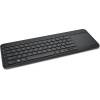
Microsoft All-In-One Media Keyboard
- Anschluss: Kabellos
- Schnittstellen: Funk
- Typ: Kompakttastatur
Zum Produkt

Gut
2,1
- Anschluss: Kabelgebunden
- Schnittstellen: USB, PS/2, USB & PS/2
Zum Produkt

Gut
2,4
- Anschluss: Kabellos
- Schnittstellen: Bluetooth
- Typ: Officetastatur
Zum Produkt
Unter unseren Top 9 kein passendes Produkt gefunden?
Ab hier finden Sie weitere Microsoft Tastaturen nach Beliebtheit sortiert.

Gut
1,6
Microsoft Comfort Curve Keyboard 3000
- Anschluss: Kabelgebunden
- Schnittstellen: USB, PS/2, USB & PS/2
- Typ: Ergonomische Tastatur

Gut
1,7
Microsoft SideWinder X4
- Anschluss: Kabelgebunden
- Schnittstellen: USB, PS/2, USB & PS/2
- Typ: Gaming-Tastatur


Gut
2,1
Microsoft Universal Foldable Keyboard
- Anschluss: Kabellos
- Schnittstellen: Bluetooth
- Typ: Falt- / Klapptastatur

Sehr gut
1,4
Microsoft Bluetooth Mobile Keyboard 6000
- Anschluss: Kabellos
- Schnittstellen: Bluetooth
- Typ: Kompakttastatur, Ergonomische Tastatur


Gut
2,0
Microsoft Surface Ergonomic Keyboard
- Anschluss: Kabellos
- Schnittstellen: Bluetooth
- Typ: Ergonomische Tastatur
Zum Produkt


Gut
1,7
Microsoft Wireless Laser Desktop 6000
- Anschluss: Kabellos
- Schnittstellen: USB, PS/2, USB & PS/2
Zum Produkt

Sehr gut
1,5
Microsoft Wedge Mobile Keyboard
- Anschluss: Kabellos
- Schnittstellen: Bluetooth
- Typ: Kompakttastatur

Gut
2,0
Microsoft Bluetooth Mobile Keyboard 5000
- Anschluss: Kabellos
- Schnittstellen: Bluetooth
- Typ: Ergonomische Tastatur
Verwandte Suchen
Aktuell beliebte Tastaturen
219,90 €
3 Angebote vergleichen
8,13 €
74 Angebote vergleichen

33,86 €
90 Angebote vergleichen
62,25 €
4 Angebote vergleichen

154,45 €
5 Angebote vergleichen
26,99 €
4 Angebote vergleichen
17,99 €
45 Angebote vergleichen
39,99 €
41 Angebote vergleichen
179,36 €
4 Angebote vergleichen

246,62 €
3 Angebote vergleichen
22,43 €
11 Angebote vergleichen
99,99 €
16 Angebote vergleichen
19,99 €
4 Angebote vergleichen
47,84 €
8 Angebote vergleichen

79,00 €
42 Angebote vergleichen
16,14 €
4 Angebote vergleichen
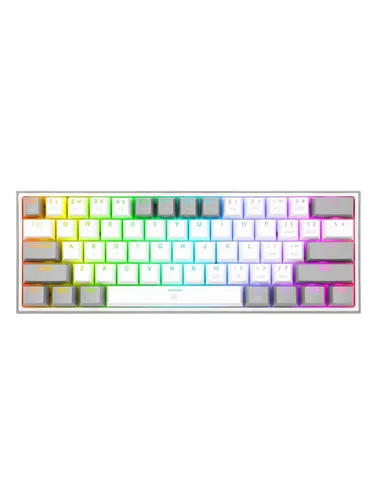
35,61 €
3 Angebote vergleichen
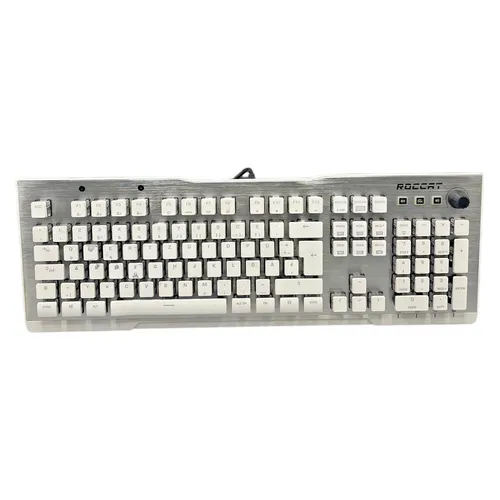
154,35 €
2 Angebote vergleichen
19,90 €
75 Angebote vergleichen
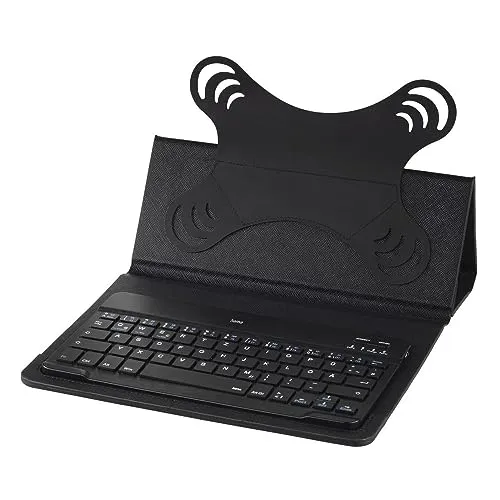
19,95 €
21 Angebote vergleichen
Tests
-

-
PC Games Hardware
- Ausgabe: 7/2020
- Erschienen: 06/2020
Für sparsame Spieler
Testbericht über 12 günstige Gaming-Tastaturen für unter 100 EuroWie werden Tastaturen in Testberichten geprüft?In Tastatur-Tests gibt es selten eine Eigenschaft, die eindeutig den höchsten Stellenwert einnimmt. Der Bedienkomfort spielt aber stets eine Rolle. Dieser setzt sich aus mehreren Faktoren zusammen: Zuerst wäre da das Layout zu nennen. Sind die Tasten ausreichend groß? Gibt es Abstä
zum Test -
-

-
c't
- Ausgabe: 1/2021
- Erschienen: 12/2020
-
-
-
c't
- Ausgabe: 21/2018
- Erschienen: 09/2018
-


Testsieger der Fachmagazine


Häufig gestellte Fragen (FAQ)
Welche Microsoft Tastaturen sind die besten?
Die besten Microsoft Tastaturen laut Tests und Meinungen:
- Platz 1: Sehr gut (1,4) Microsoft Wired Desktop 600
- Platz 2: Gut (1,6) Microsoft Sculpt Ergonomic Keyboard For Business
- Platz 3: Gut (1,6) Microsoft Modern Keyboard
- Platz 4: Gut (1,7) Microsoft Ergonomic Keyboard
- Platz 5: Gut (1,7) Microsoft Natural Ergonomic Keyboard 4000
- Platz 6: Gut (1,7) Microsoft Bluetooth Keyboard
- ...